Michael Heiss says the challenge for integrators is no longer making devices communicate, but balancing expectations across diverse ecosystems.
Alongside every other responsibility involved in residential technology integration comes one unavoidable task: connecting things. Sometimes that means connecting people to content, devices and services. At other times, it means connecting devices to make systems work reliably and intuitively. To meet the needs of different clients, integrators must do both.
It’s a far cry from the early days of home technology integration, when wireless connectivity was still viewed with suspicion. More than 30 years ago, while conducting training and education sessions for a prominent design and installation company, I was told quite firmly: “Stay away from wireless stuff; it isn’t reliable and that isn’t the direction we want to push people towards.”
I advised against that approach, but isn’t the customer always right? And at the time, his view wasn’t entirely unreasonable. Wireless standards lacked the stability, bandwidth and interoperability we now take for granted. Today, however, the situation has almost reversed. Wireless connectivity is expected everywhere, even if hard-wired infrastructure still underpins high -performing systems.
When planning and advising home infrastructure, you need to recognise that it exists across three timelines at once. You must account for the legacy systems already in place, support the demands of today’s devices and services, and make sensible decisions about future-proofing.
But this balancing act isn’t always straightforward; invest too heavily in emerging technologies, and clients may question why they paid for capabilities that never became mainstream. Under-specify a system, however, and upgrades arrive sooner than expected.
When planning and advising home infrastructure, you need to recognise that it exists across three timelines at once. You must account for the legacy systems already in place, support the demands of today’s devices and services, and make sensible decisions about future-proofing.
The question at hand here is not to dictate which connection should be used in any specific application, but rather what the various options are in the current residential technology landscape. One other caveat: although some of these solutions are optimised to do only one thing, many are multipurpose and can do more than one thing at a time.
HDMI
With billions of HDMI-equipped devices now in circulation, this AV connection standard continues to form the backbone of home entertainment systems. HDMI’s historic role was connecting source devices such as set-top boxes, Blu-ray players and streamers to displays. While many streaming services are now integrated directly into televisions, HDMI remains essential for external media players, games consoles, legacy hardware and AV receivers.
Its role has also evolved significantly with the rise of Audio Return Channel (ARC) and Enhanced Audio Return Channel (eARC). These technologies allow audio from a television and connected devices to be sent back to an AVR, processor or soundbar using a single HDMI cable.
The distinction between ARC and eARC remains important. ARC supports compressed multichannel formats such as Dolby Digital 5.1, while eARC provides the bandwidth necessary for lossless formats including Dolby TrueHD, DTS-HD Master Audio and immersive object-based audio such as Dolby Atmos and DTS:X.
With billions of HDMI-equipped devices now in circulation, this AV connection standard continues to form the backbone of home entertainment systems.
Any HDMI 2.1 product includes eARC support, while some HDMI 2.0 devices gained eARC functionality through firmware updates. When upgrading existing systems, integrators should confirm that both source and sink devices support eARC if advanced audio formats are required.
Before leaving HDMI behind, a mention of HDMI 2.2 is appropriate. While it was announced at CES 2025, there are few, if any, products available at this time. Displays, AVRs and graphics hardware supporting the specification are still largely absent from the market, making this more of a future consideration than immediate installation priority.

AlexanDior/Shutterstock
DisplayPort
To some extent, you might describe DisplayPort (DP) as doing much the same thing as HDMI, but with a different orientation. It also carries video and audio, but it is mostly found on high-end monitors and displays.
The latest DisplayPort 2.1b specification offers bandwidth up to 80Gbps using UHBR20 transmission mode, bringing it close to HDMI 2.2 performance levels. That enables support for demanding resolutions and refresh rates, including 8K at 120Hz or 4K at extremely high frame rates.
In most residential applications, those capabilities will be unnecessary. However, DisplayPort becomes highly relevant in gaming environments, multi-monitor installations and professional workstation setups.
Will you need that? In most cases no, as this is something more likely to suit very high-end video cards used for professional gamers. Unlike HDMI 2.2, there are products available now that take advantage of DisplayPort 2.1b including the NVDIA GeForce RTX-50-Series, AMD Radeon RX-9000-Series and Intel Arc “Battlemage” video cards.
DisplayPort becomes highly relevant in gaming environments, multi-monitor installations and professional workstation setups.
Monitors from LG, Gigabyte and Samsung play the content out at the sink end, and there are VESA-certified cables that carry the DP80 or UHBR20 certification to act as the connecting pipe. As a side note, DP20 cables are said to work but possibly not above a 1m length.
Will you DP in most jobs? If there is a heavy concentration on high-end, multiple, daisy-chained monitors? Quite likely and in that case with the DP 2.0 or lower specs. Note, in those cases, that there are adapters to cross-convert from the DP connector to HDMI or USB-C. I’ve used them with odd PC docks and gaming monitors, and they can save the day. If there is an avid or professional gamer? Almost certainly.
Thunderbolt
Here’s an odd one you should remember: you and your clients may have devices that have Thunderbolt ports without you even realising it. The reason for that is Thunderbolt (TB) has become increasingly common thanks to the widespread adoption of USB-C connectivity on laptops, docking stations and premium peripherals. One reason Thunderbolt is so significant is its versatility. Depending on the version, a single port may carry high-speed data, video, audio and power delivery simultaneously.
Thunderbolt (TB) has become increasingly common thanks to the widespread adoption of USB-C connectivity on laptops, docking stations and premium peripherals.
Thunderbolt 3, 4 and 5 all use the USB-C connector format, but not every USB-C port supports Thunderbolt functionality; an important source of confusion for both clients and installers. Bandwidth capabilities vary by generation. Thunderbolt 3 and 4 support up to 40Gbps, while Thunderbolt 5 raises available bandwidth considerably and improves support for multiple high-resolution displays and demanding data applications.
The key issue for integrators is compatibility across the entire signal chain. Cables, docks, laptops and displays may all support different feature sets, and performance will generally fall back to the lowest common denominator.
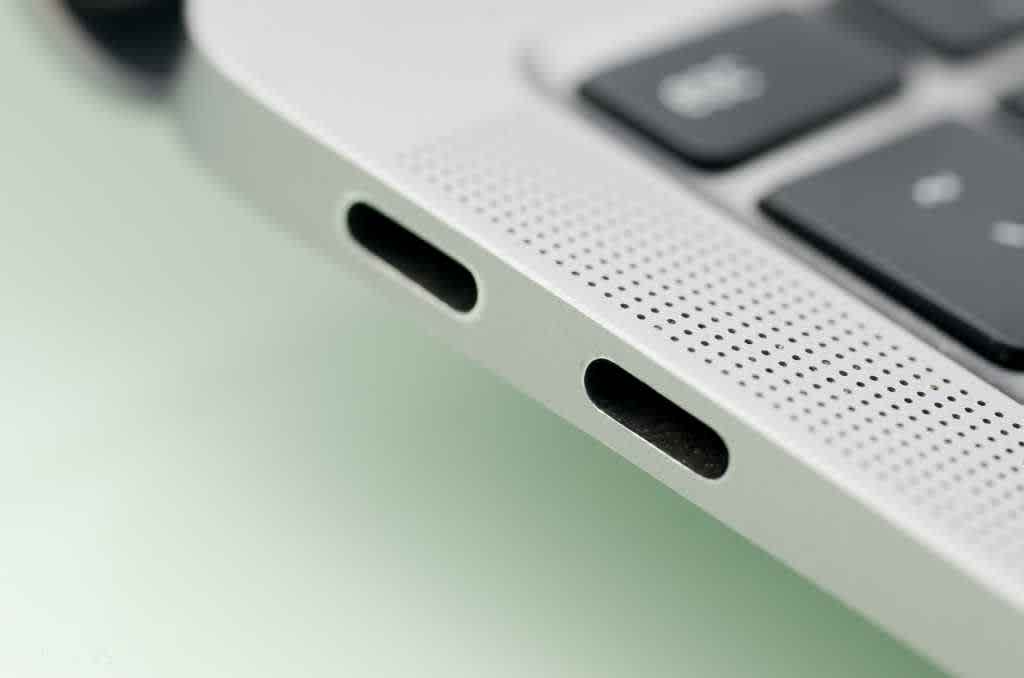
USB-C and Thunderbolt ports on laptop, credit to Teacher Photo/Shutterstock.com
Power delivery is another consideration. Not all USB-C or Thunderbolt cables support the same charging capacities, making cable specification just as important as device specification.
USB
When it comes to “it does (almost) anything connectivity”, everywhere you look is USB. It remains the closest thing the industry has to a universal connectivity standard. Since the arrival of USB 1.0 in 1996, it has evolved from a simple peripheral connection into an ecosystem capable of transporting power, audio, video and high-speed data.
Today, USB-C has become the dominant physical connector format, accelerated further by European common charger regulations that standardised USB-C charging across many consumer electronics categories. But the challenge is that identical-looking USB-C ports may support very different capabilities.
The challenge is that identical-looking USB-C ports may support very different capabilities.
Some ports handle only charging. Others support data transfer, DisplayPort Alt Mode video output, USB4, Thunderbolt or combinations of all of them. Likewise, cable quality varies enormously and that means integrators cannot assume that any USB-C connection will automatically deliver the required performance. You should verify every component in the chain, including chargers, battery packs, docking stations, adaptors and cables.
It is also wise to keep a comprehensive collection of adaptors and conversion accessories available in service kits. Legacy USB-A, Micro USB and specialised connector formats still appear regularly in both retrofit and service scenarios.
Bluetooth
Bluetooth may be one of the most widely recognised wireless standards in consumer technology, but it also presents one of the largest compatibility challenges. The technology takes its name from Harald “Bluetooth” Gormsson, the 10th-century Danish king known for unifying Denmark and Norway. The symbolism was intentional: the standard was designed to unify communication between different device categories.
Bluetooth (the standard, not the King) has been around for over 25 years and has been through progressive iterations. As a result, successful deployment often depends less on whether devices support Bluetooth and more on which specific Bluetooth standards and codecs they support; this frequently means working around the client’s existing devices.
One common example involves Qualcomm’s aptX family of codecs, designed to improve wireless audio quality and reduce latency. While many headphones, speakers and AVRs support aptX, Apple devices do not. Apple instead relies primarily on AAC. If a client expects aptX functionality with an iPhone or Apple TV, expectations need to be managed accordingly.
If a client expects aptX functionality with an iPhone or Apple TV, expectations need to be managed accordingly.
Although for the most part Bluetooth is a question of dealing with what’s presented to you, there are some new things in the past year or two - and more on the horizon - to be aware of for upgrade possibilities. One is Auracast, which makes it possible for a single source to be received by multiple receiver devices. A residential application of this would allow multiple listeners to hear the same content from one stream, with the ability to individually control the volume. Auracast requires a baseline of Bluetooth 5.2 or later, along with Low Energy Audio support.
Bluetooth 6.0 is also beginning to emerge, bringing improvements including reduced latency, enhanced device tracking precision and increased efficiency. It is on the rollout path now and while it doesn’t make existing Bluetooth version devices obsolete, it’s something to consider for new installations or upgrades.
WiFi
Last, but certainly not least, is the other wireless connectivity pipe: WiFi, or more formally IEEE 802.11, first brought to market in 1997 with a measly 2 Mbps maximum nominal data rate and 11Mbps as the theoretical max speed. That was around the time my client advised against it for the low bandwidth and range. My, how things have changed.
Many legacy devices still rely on WiFi 4 (802.11n) or older standards, while current best practice for new installations generally centres on WiFi 6, WiFi 6E and increasingly WiFi 7. They let you deliver great range, the ability to connect more devices, and dual- or triple-band transmission to help avoid interference.
That said, there are still a large number of devices - not only as legacy products but even as new items like light bulbs - that are still WiFi 5 (2.4Ghz) only. The caution there is to ensure your access points can handle both, as with some brands it takes some tricky knowledge to connect the 2.4Ghz products.
What was suggested for Bluetooth holds for WiFi. Integrators should map endpoint devices, wireless standards, coverage requirements and access point locations carefully to avoid dead zones, or unsupported devices.
A note going forward: there is, or at least will be, a WiFi 8. Don’t fret; it isn’t available yet and probably won’t be for another year or so. If you want to future-proof with the latest and greatest, go with WiFi 7 and everyone will be happy.
Wired infrastructure
Have I left out the “grandfather/mother” of all connection technologies? You know, the one that is now the “great-great-great grandparent” more than two centuries old: wires. Despite the rapid evolution of wireless standards, hard-wired infrastructure remains fundamental to reliable system performance.
Copper Category cabling and fibre optic infrastructure continue to provide the bandwidth, latency and reliability required for demanding AV, networking and control applications.
In many respects, structured cabling design resembles plumbing: selecting the correct medium, pathway and capacity for the application matters as much as the devices being connected.
It’s no longer about simply understanding what a cable or wireless protocol can do, but about understanding which standard, specification and version is appropriate for each task. That requires balancing legacy support, current performance expectations and realistic future-proofing strategies.
Get those decisions right and the connected home becomes intuitive, reliable and scalable. Get them wrong, and even the most sophisticated technology ecosystem quickly becomes frustrating for both client and installer.
AUTHOR’S NOTE: Some of the technologies, formats, brands, and products mentioned may not be available yet, or sold in your country or region. Always please check with the manufacturers and service providers for availability before specifying.
Featured image credit to hmorena/Shutterstock.com